
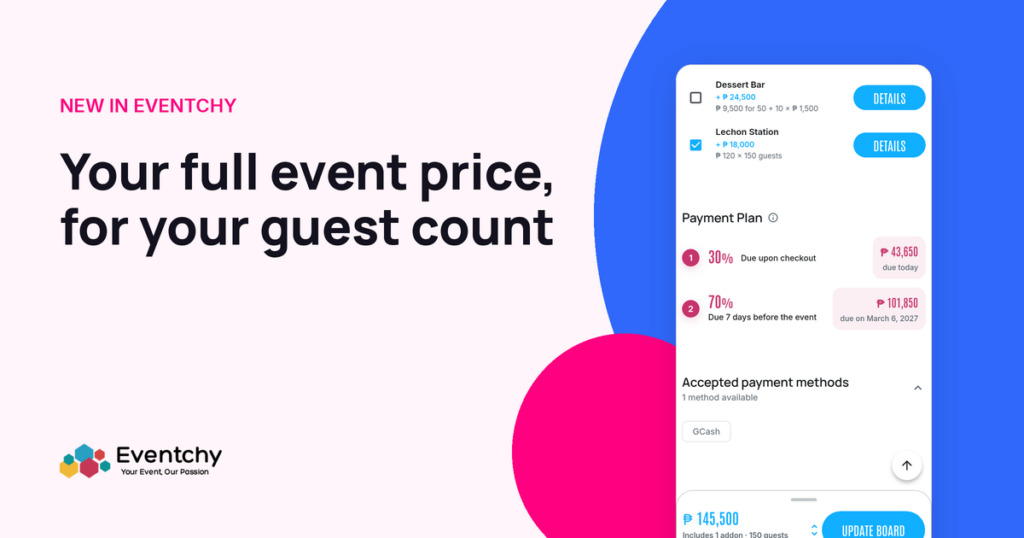
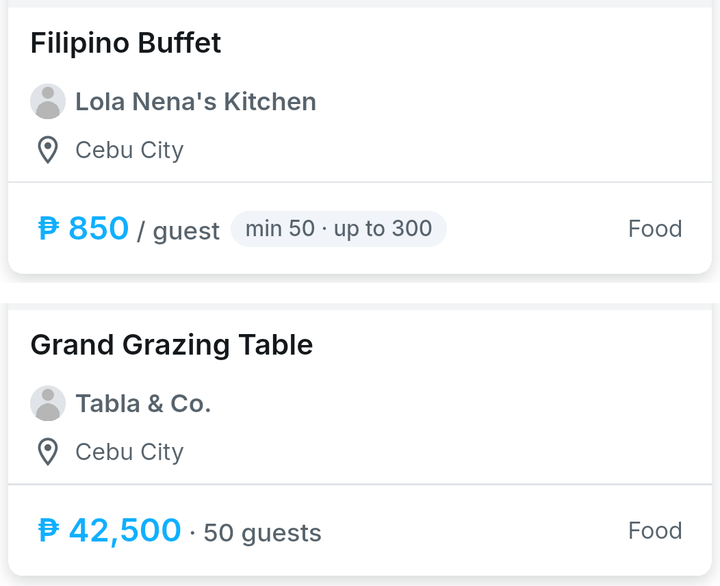
Planning Bianca’s debut for 150 guests? The caterer says ₱ 850 a guest. The grazing table says ₱ 42,500 for 50.
So out comes the calculator, and a message to every supplier asking what 150 guests will really cost.
Not anymore. Eventchy now shows each service’s total for your guest count, and updates it when your list changes.
What’s new at a glance
- Your real total, up front. Services priced by the guest show their total for your event, with the math under it.
- Add-ons that add up. Each add-on shows its own total, and your payment plan follows.
- Your own count for glam and gowns. Pay for the 6 guests getting their makeup done, not all 150.
- Change your guest count later. Even after booking, you pay only the difference once the new contract is signed.
See the real total, not a price to multiply
Browse without an event, and each card shows how the service is charged: “₱ 850 / guest”, or a package like “₱ 42,500 · 50 guests”.
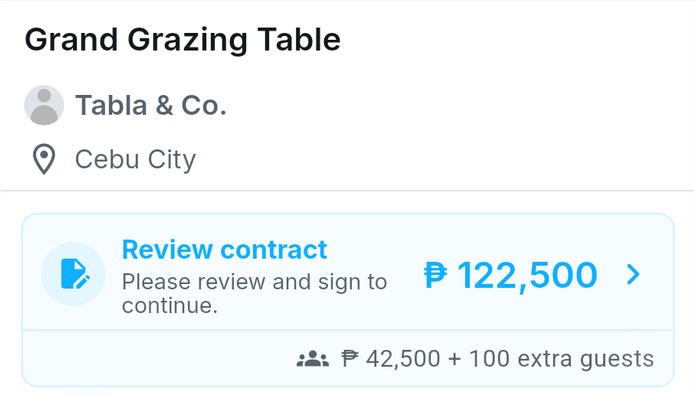
Open your event plan and the guesswork is gone. For Bianca’s 150 guests, Tabla & Co.’s Grand Grazing Table reads ₱ 122,500: “₱ 42,500 + 100 extra guests”.
Add-ons and your payment plan add up for you
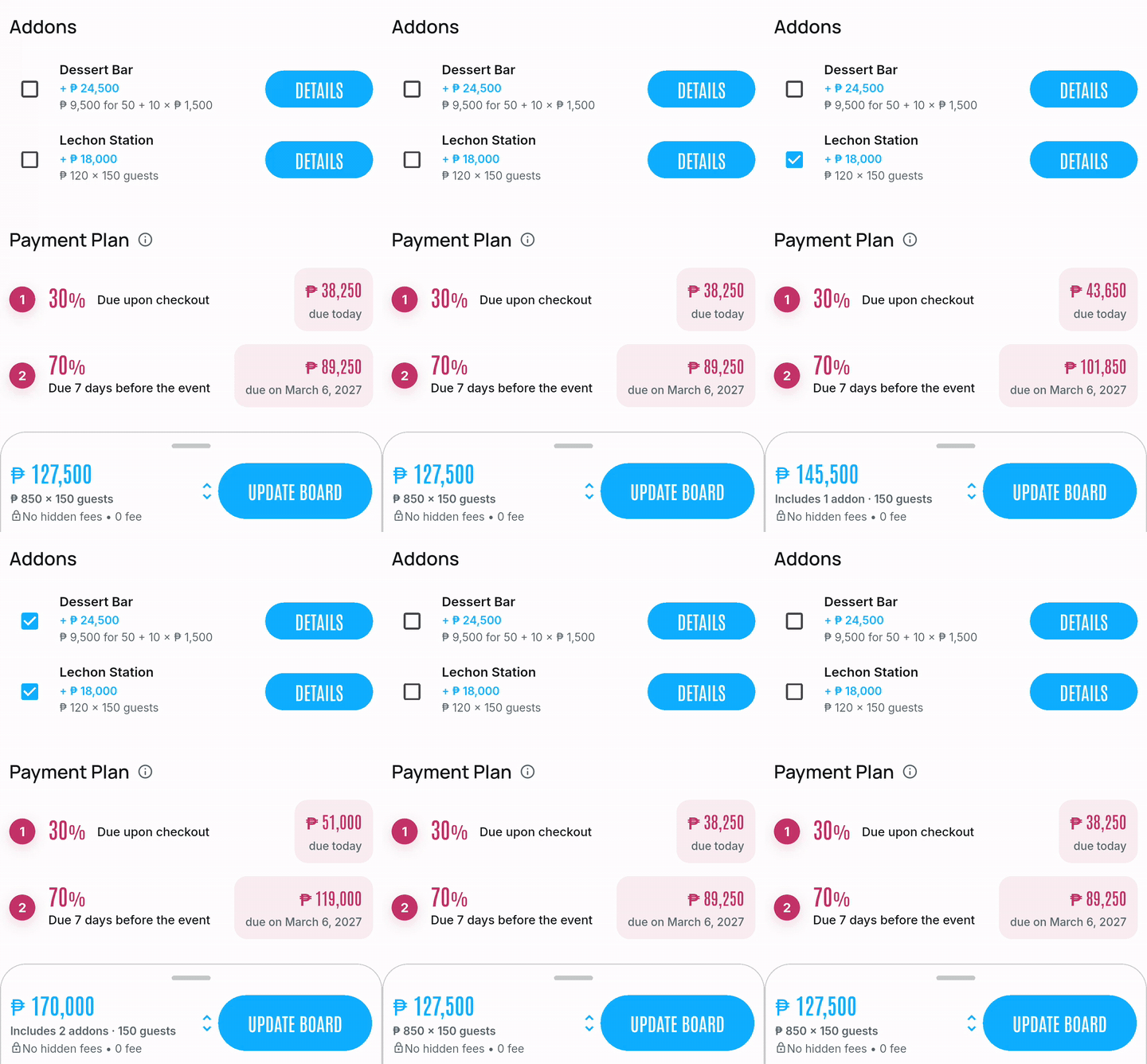
Open Lola Nena’s Kitchen’s Filipino Buffet, and the price at the bottom reads ₱ 127,500: ₱ 850 × 150 guests.
An add-on used to show one flat price, so “+ ₱ 120” for a lechon station looked like the whole cost.
Now Lechon Station reads + ₱ 18,000 (₱ 120 × 150 guests), and Dessert Bar reads + ₱ 24,500.
Tick both and the buffet reads ₱ 170,000. The payment plan follows: ₱ 51,000 at checkout and ₱ 119,000 later.
Pay only for the guests a service serves
Hair and makeup is for the debutante and her circle, not all 150 guests.
So these services ask How many guests? when you add them (gown rentals count in gowns), with a − / + stepper and a live total.
Bianca books Glow by Bea’s Debut Glam Team for herself, her mom and four friends: ₱ 2,500 × 6 guests, ₱ 15,000.
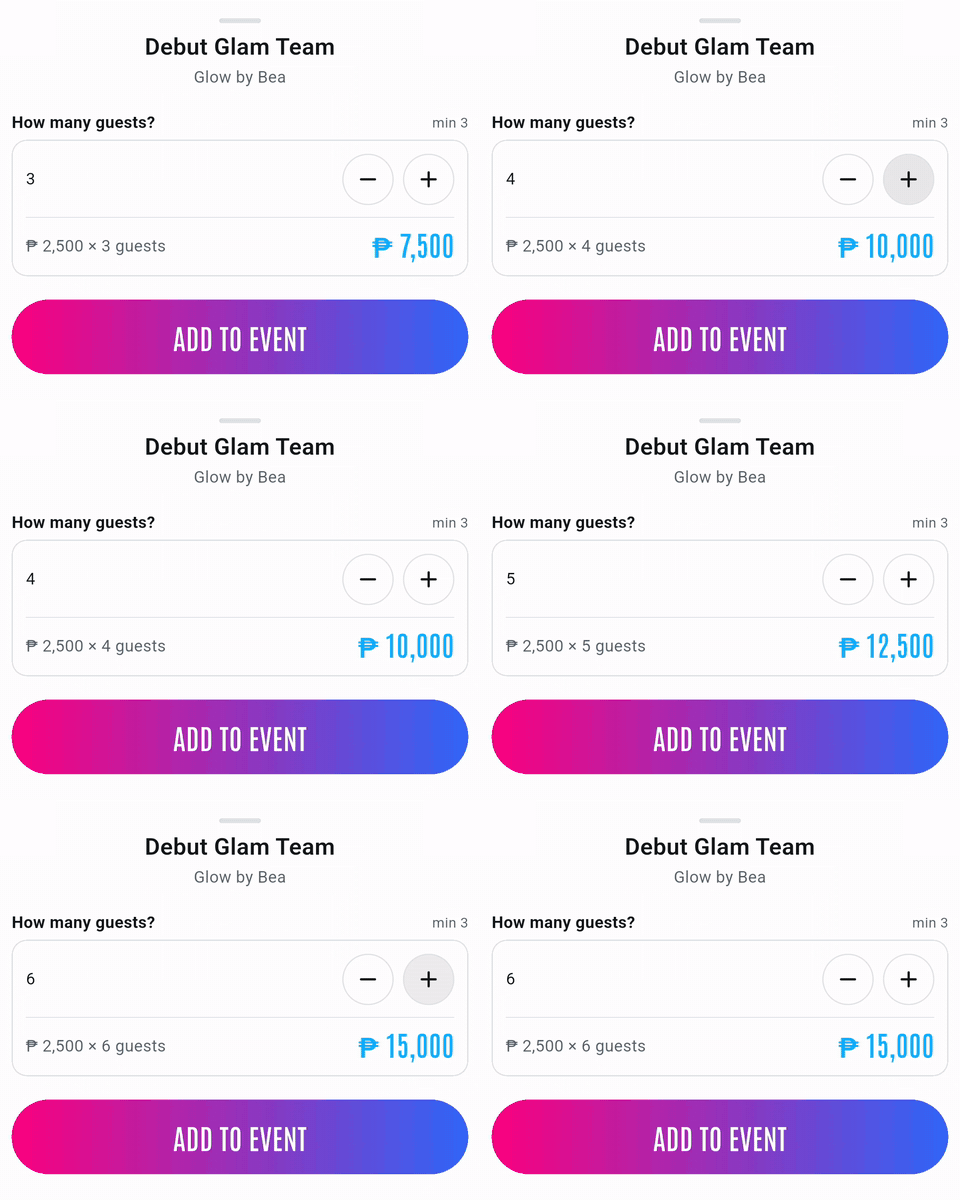
Your event’s guest count doesn’t change it. To change it yourself, tap EDIT on the service card.
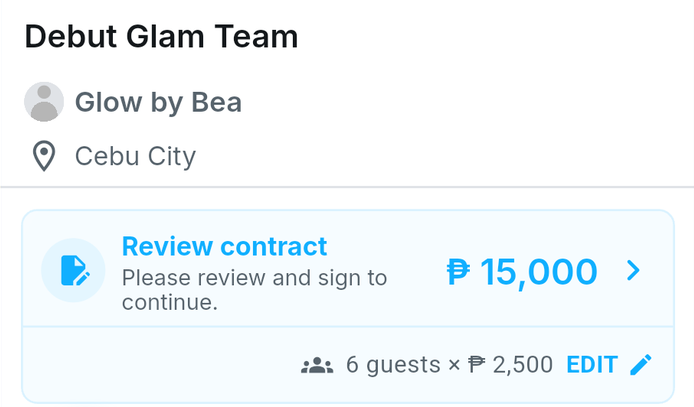
Change your guest count, even after booking
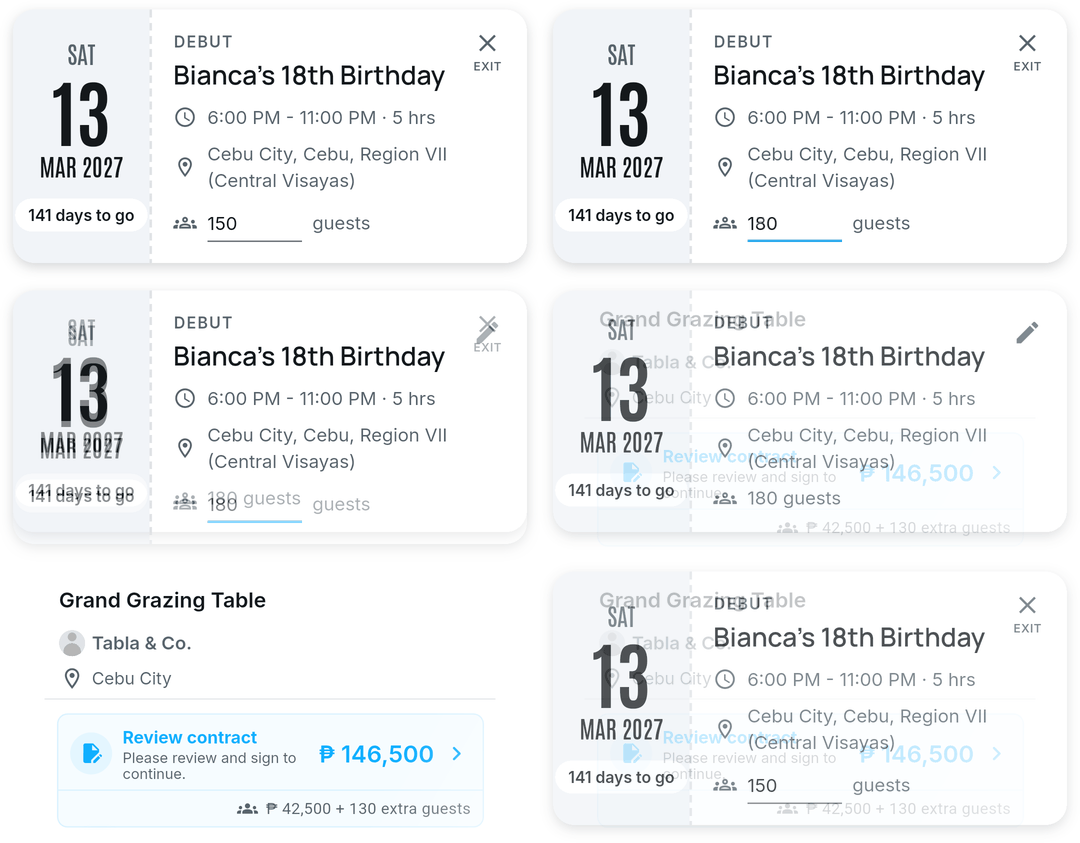
Guest lists grow. Before you book, tap the pencil on your event card and edit your guests.
At 180 guests, the grazing table moves from ₱ 122,500 to ₱ 146,500. Services with one fixed price stay as they are.
Already booked? Each booked per-guest service gets a new contract at the new count. When Bianca’s list grows to 180, the buffet goes from ₱ 127,500 to ₱ 153,000.
Its signed price stays until you and the supplier both sign:
- “New contract to sign”
- “Awaiting approval”
- “Signed · ready to pay”
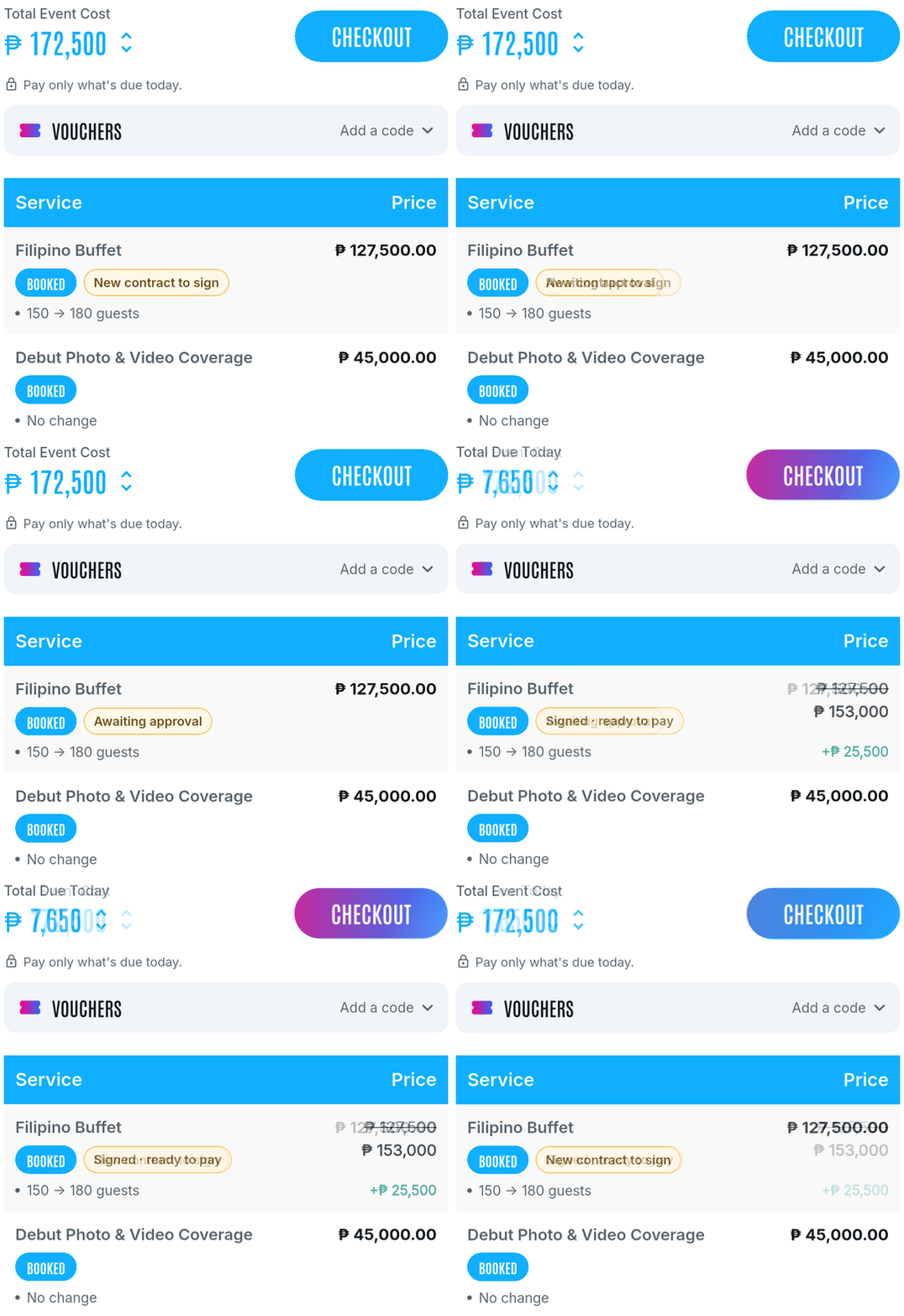
Once it’s signed, you pay only the difference, split like that service’s payment plan. The supplier can also choose to keep the booked count instead.
No surprises from minimums or capacity
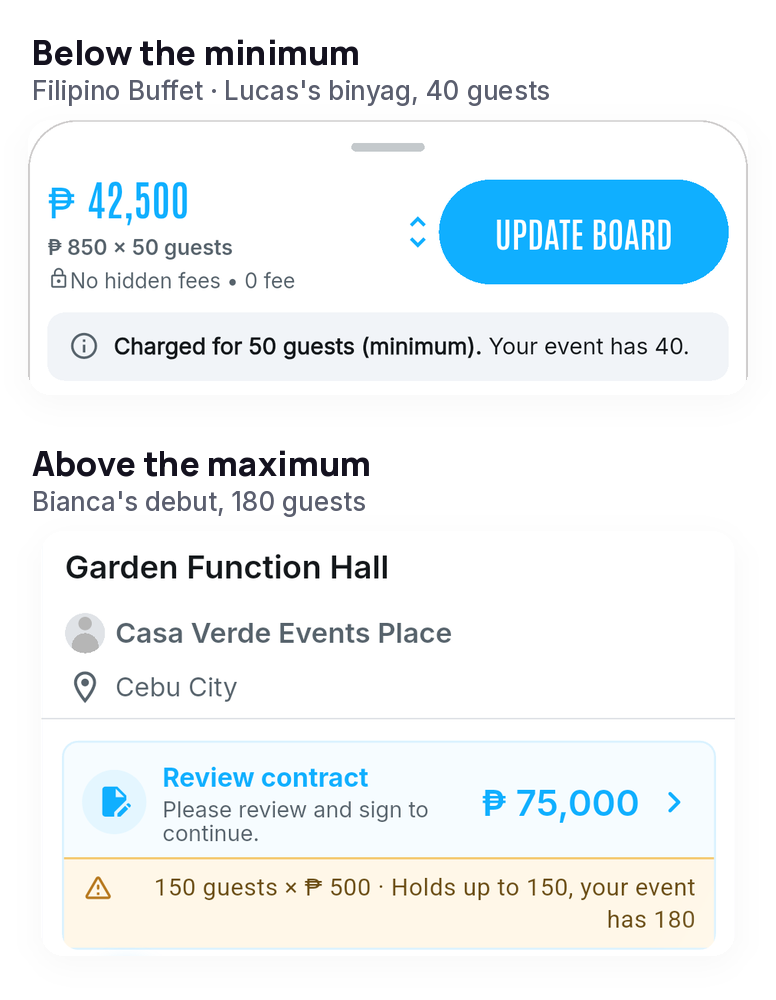
Some services set a minimum or maximum guest count. Nothing is blocked, and the price says what you’re charged for.
- Below a minimum, you pay for the minimum, and the service says so.
- Above a maximum, you pay only for what the service holds. An amber note says so.
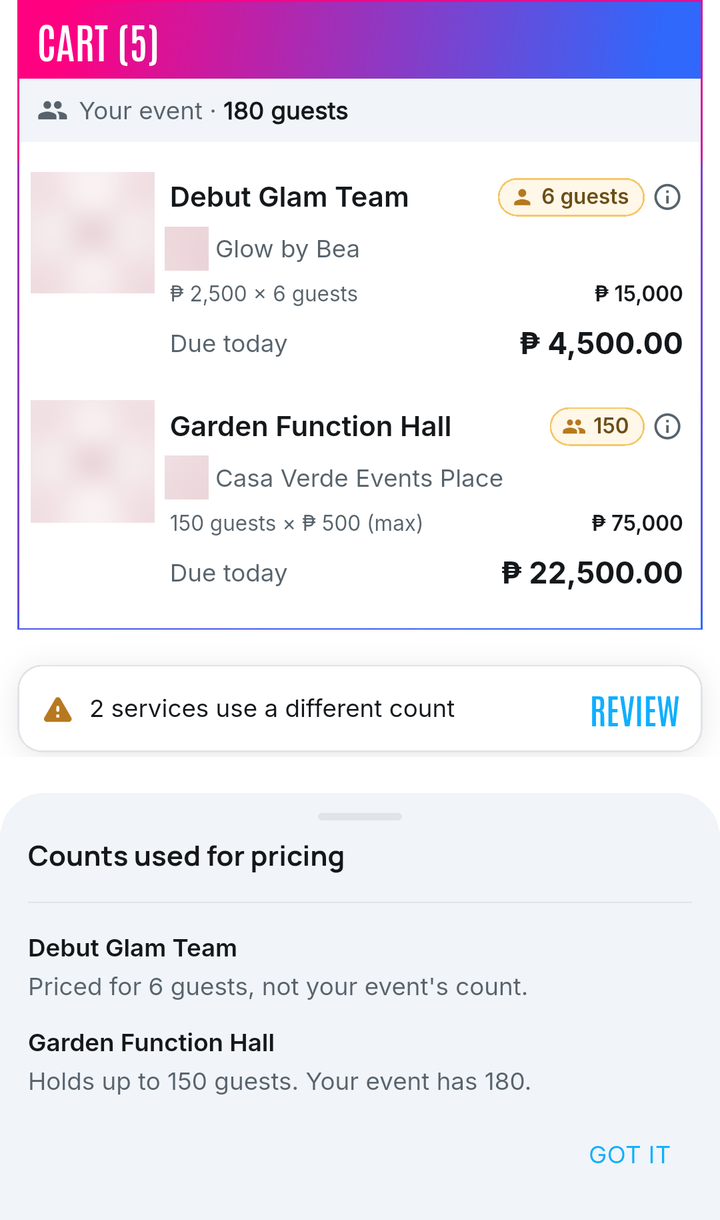
At checkout, “Your event · 180 guests” sits at the top. Any service priced for a different count gets a badge, like “6 guests” for the glam team or “150” for the hall, and REVIEW lists them all.
How to try it
- Open your event plan and check the guest count on your event card.
- Open a service on your plan, like catering. The price at the bottom is your total, and ticking add-ons updates it.
- For hair and makeup or gowns, add the service, set How many guests?, then tap ADD TO EVENT.
- Guest list changed? Tap the pencil on your event card and edit your guests.
Suppliers set up per-guest pricing service by service. Services with one price keep showing that price.
Quick answers
Can I change my guest count at any point?
Before and after booking, yes. Not on a locked or cancelled event plan, or while a payment for a booked service is in progress.
What if my guest count goes down after booking?
You get a new contract at the lower count. The part you already paid for the guests you drop becomes credit under that service’s cancellation policy.
Plan with the real numbers
Update Eventchy to the latest version and open your event plan.
For a step-by-step guide, open the Help Center in the app and look for “How does per-guest pricing work?”